To import test cases from an Excel file:
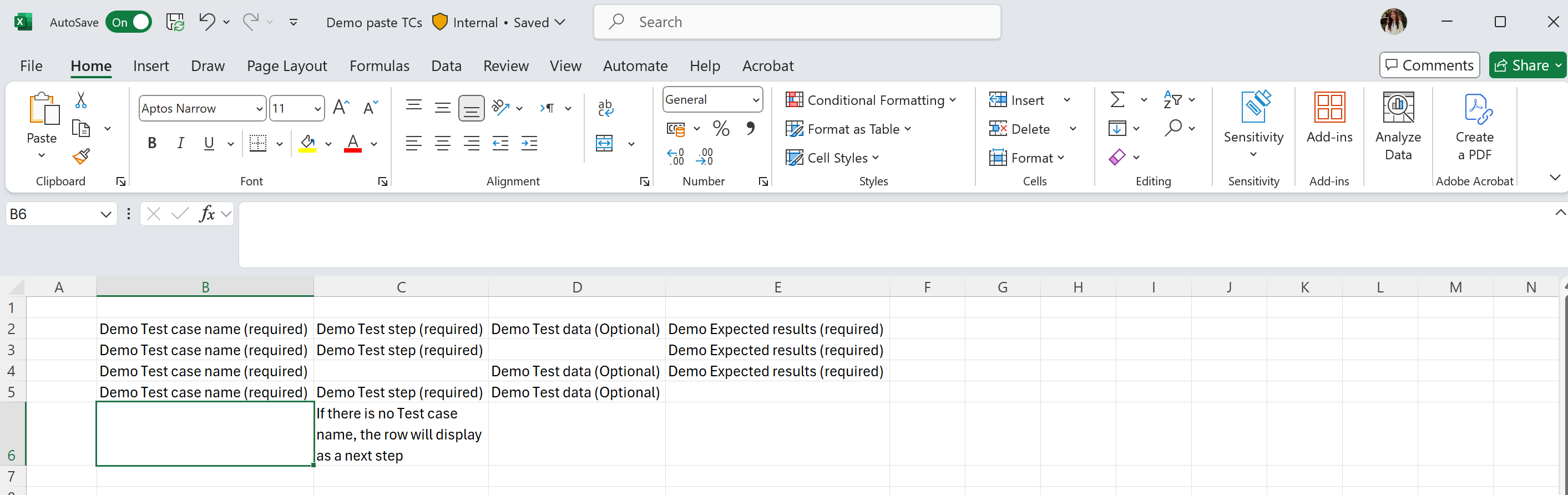
- Click Import from Excel.
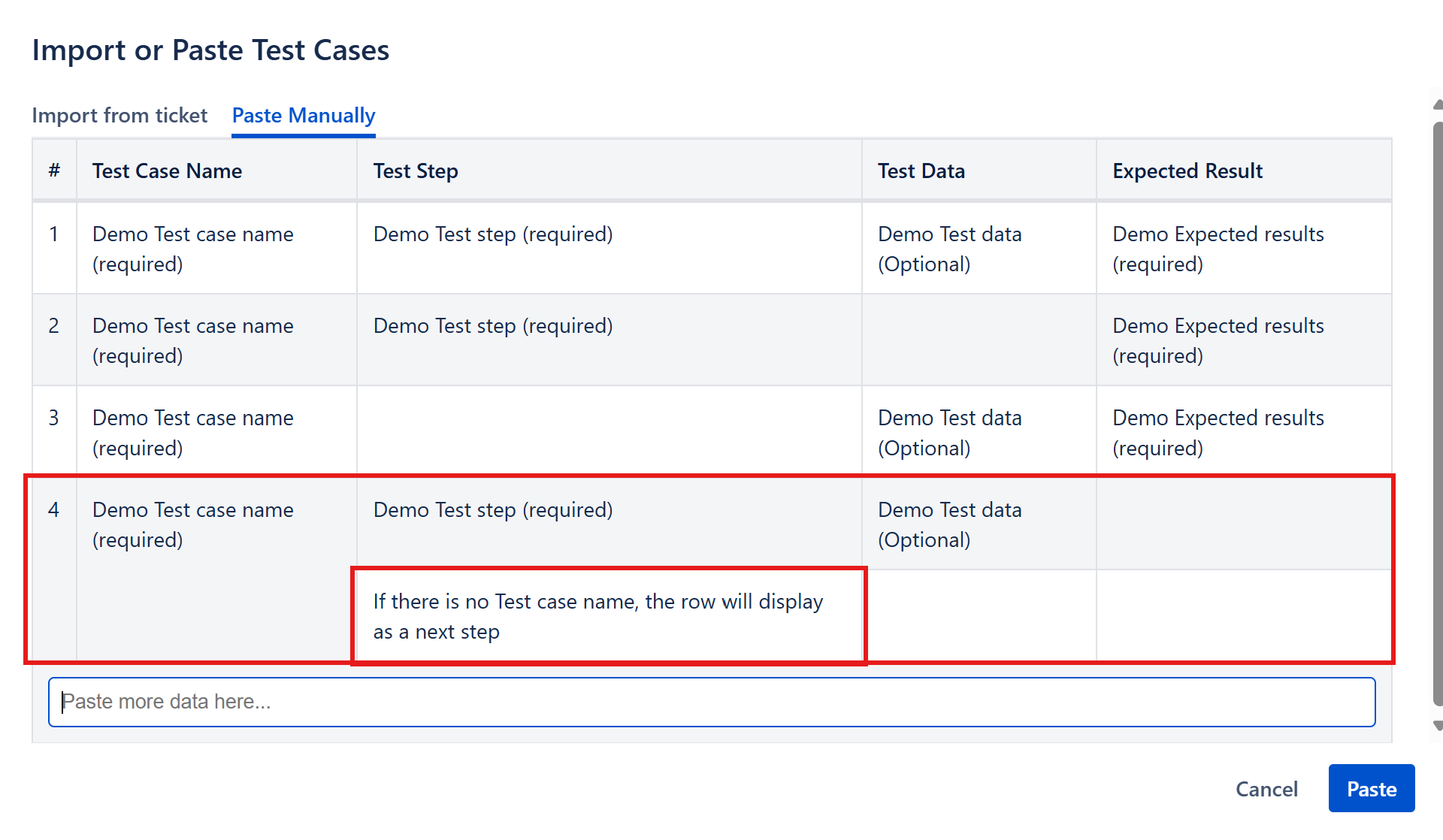
- Copy and paste the test cases into the provided input area.

To search and import existing test cases from old tickets:
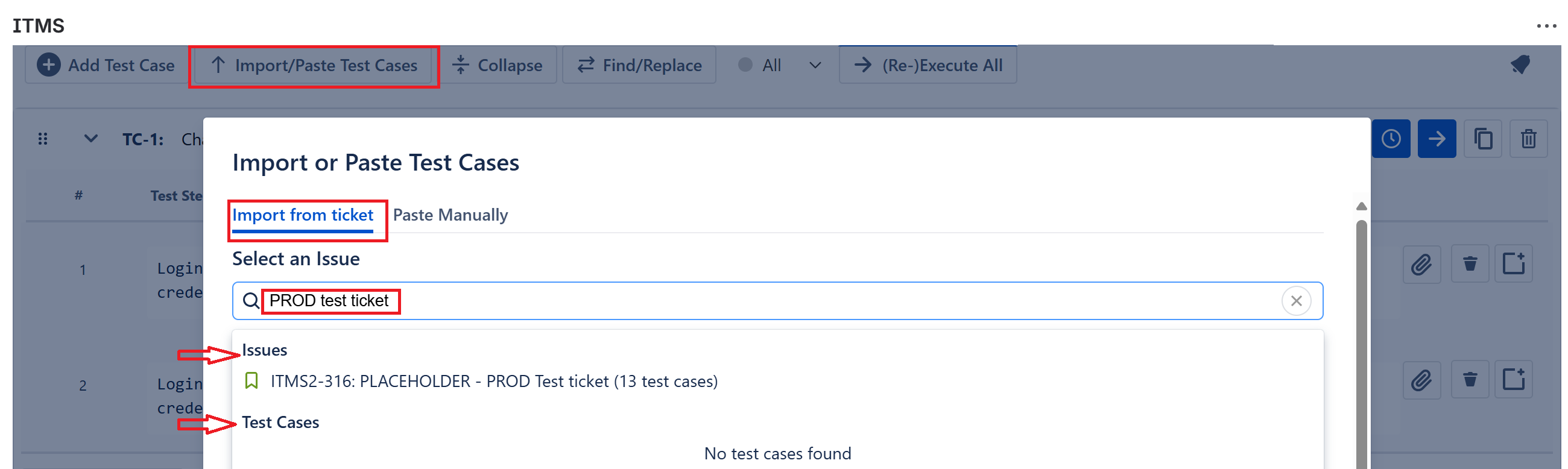
- Click Import/Paste Test Cases button from Functions menu to open the pop-up.
- Fill values into Select and Issue field to search Test cases indirectly by Issues names or directly by Test cases names
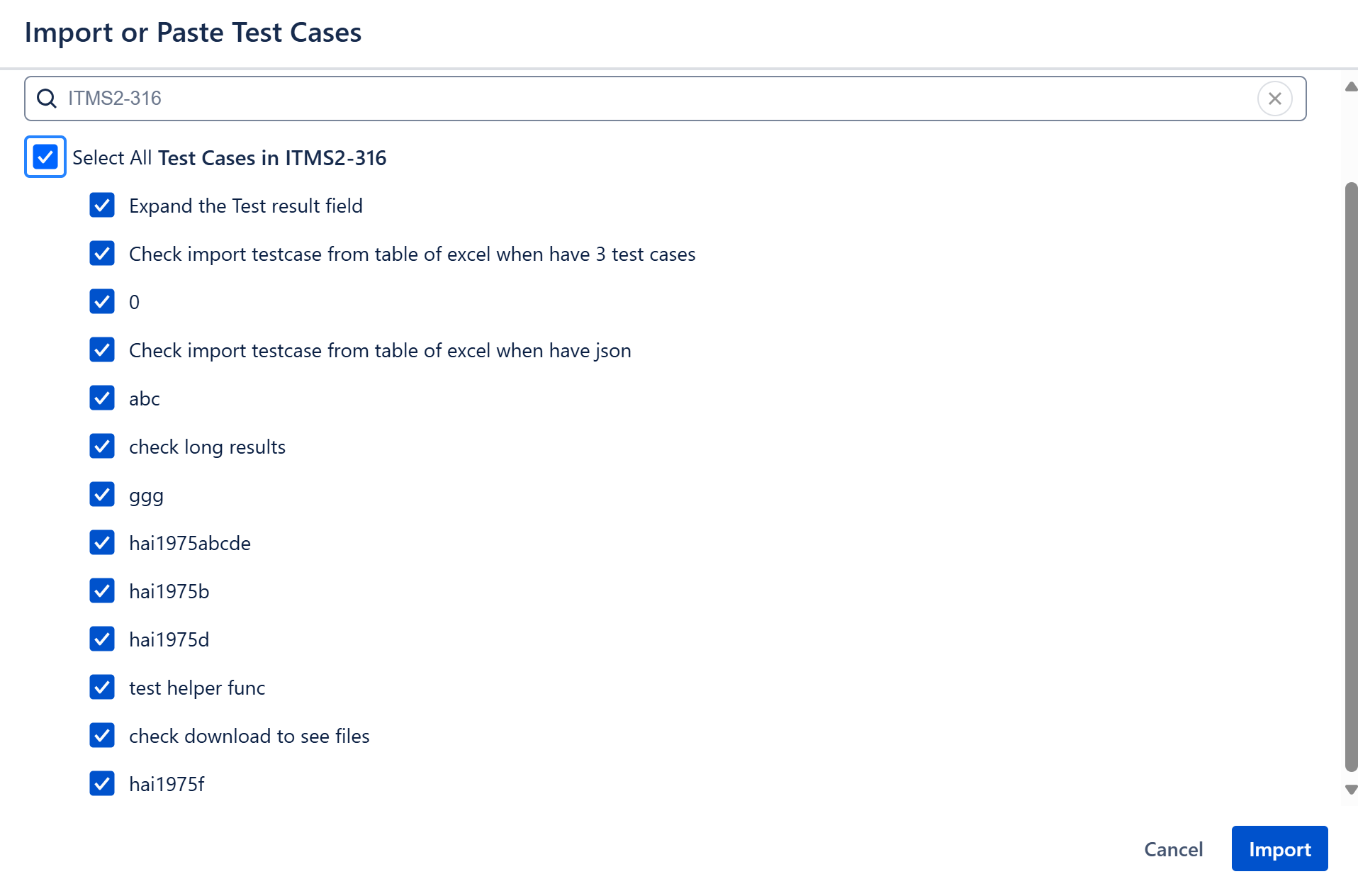
- Click into Issues and click Select all or only some Test cases by unchecking/checking boxes to be imported.